
IJSRuntime is registered by the Blazor framework. It is a way call JavaScript functions from .NET methods. A JS Promise is returned for InvokeAsync methods. InvokeAsync unwraps the Promise and returns the value awaited by the Promise.
Here is an alert generated by IJSRuntime.

Here is a prompt.
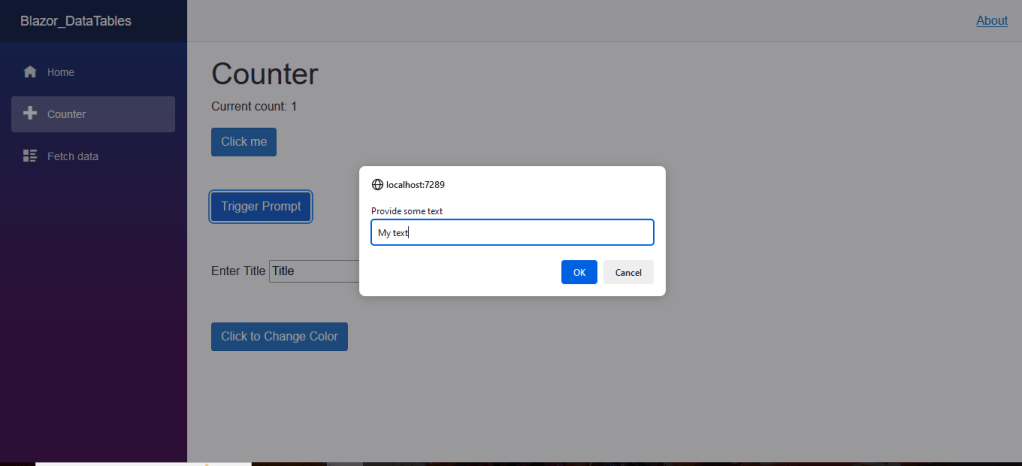
Here is the simple user interface for these:
@page "/counter"
@inject IJSRuntime JS

<PageTitle>Counter</PageTitle>

<h1>Counter</h1>

<p role="status" >Current count: @currentCount</p>

<div class="pb-5">
    <button class="btn btn-primary" @onclick="IncrementCount">Click me</button>
</div>

<div class="pb-5">
    <button class="btn btn-primary" @onclick="TriggerPrompt">Trigger Prompt</button>
</div>

<div class="pb-5">
    <label class="col-form-label">Enter Title</label>
    <input id="myTitle" type="text" @bind="title" />
    <input class="btn btn-primary" type="button" value="Alert Title" @onclick="myAlert" />
</div>

<div class="pb-5">
    <input type="button" class="@Css" @onclick="ToggleCss" value="Click to Change Color" />
</div>

<p>@result</p>
To make this work, the IJSRuntime needs to be injected into the page.
Prompts and alerts are triggered by the onclick event of buttons with event handlers in the code section that invoke the IJSRuntime. The variable result will hold the value of the prompt.
ToggleCss changes the color of the button my modifying the variable Css.
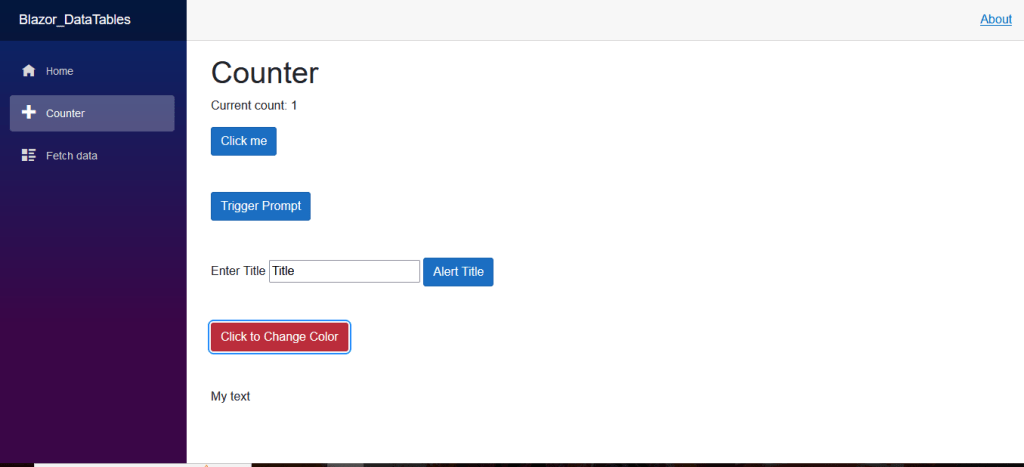
Here is the code section.
    private int currentCount = 0;
    private string? result;
    private string? title;
    private string Css = "btn btn-primary";
    private string CurrentCss = "btn btn-primary";


    private void IncrementCount()
    {
        currentCount++;
    }


    private async Task TriggerPrompt()
    {
        result = await JS.InvokeAsync<string>("prompt", "Provide some text");

    }

    private async Task myAlert()
    {
        await JS.InvokeVoidAsync("alert", "The Title is :" + title);
    }

    private void ToggleCss()
    {
        Css = CurrentCss == "btn btn-primary" ? "btn btn-danger" : "btn btn-primary";
        CurrentCss = Css;
    }
The variables result and title are nullable because the user might not set them by clicking a button.
More generally, IJSRuntime can be used to call any JavaScript function from an event handler. Here is an illustration:
await js.InvokeVoidAsync("displayTickerAlert1", symbol, price);


 Schroeder Consulting LLC