
This is continuation of my blogs on MudBlazor. In my previous blog, I explained how to add MudBlazor to a .NET 8 Web App.
Autocompletes are often used to make certain that user entry comes from a predetermined list. In this article, I use a MudBlazor Autocomplete with a list of names.
When the user inputs text, any name containing this text is displayed.

I chose to put this autocomplete in a Blazor EditForm with validation. If the user does not enter a name, there is a validation error
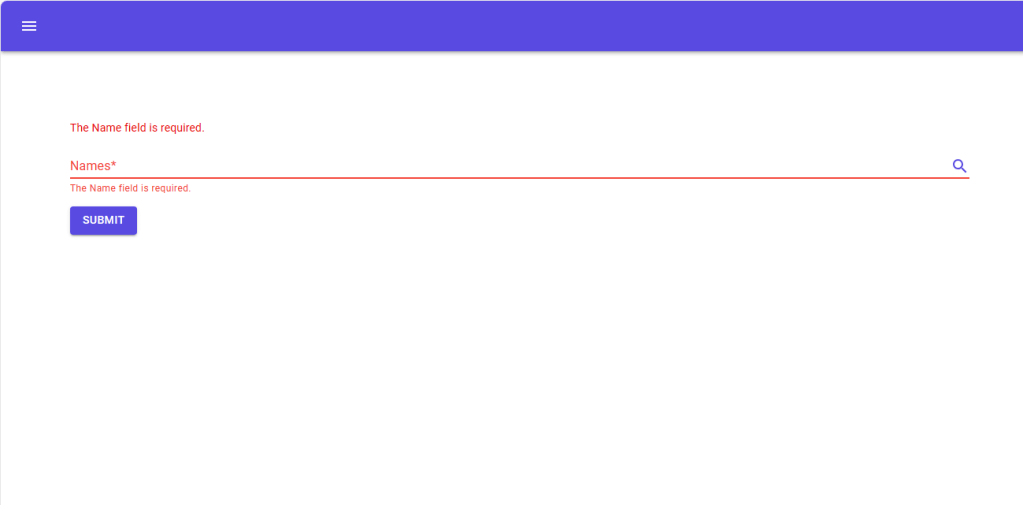
Otherwise the EditForm submits.
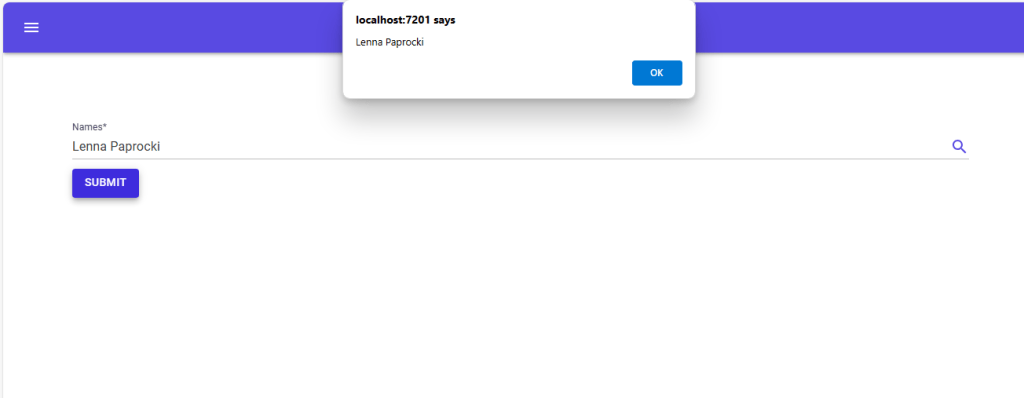
Validation requires a class with a field that is required.
public class NameList
{
    [Required]
    public string Name { get; set; }
}
The form variable is a NameList that I called thisName. I used an EditContext. I also needed a List<NameList> that I called nameList. This can be populated with any list of names. The List<string> for the autocomplete is called names.
  [SupplyParameterFromForm]
  NameList? thisName { get; set; }
  EditContext? editContext;
  List<string> names;
This works because of the code in OnInitialized
 protected override void OnInitialized()
 {
     names = nameList.Select(p => p.Name).ToList();
     thisName ??= new();
     editContext = new(thisName);
 }
Here is the markup for the EditForm with the AutoComplete.
@page "/names"
@using System.ComponentModel.DataAnnotations;
@using System.ComponentModel.DataAnnotations.Schema;
@inject IJSRuntime JS
<EditForm EditContext="@editContext" OnValidSubmit="@Submit">
    <DataAnnotationsValidator />
    <ValidationSummary />
    <MudAutocomplete Label="Names" @bind-Value="thisName!.Name" Required="true"
                     SearchFunc="@SearchAsync" Immediate="true" CoerceValue=false ResetValueOnEmptyText="true"
                     AdornmentIcon="@Icons.Material.Filled.Search" AdornmentColor="Color.Primary"
                     For="@(() => thisName!.Name)" />
    <MudButton ButtonType="ButtonType.Submit" Variant="Variant.Filled" Color="Color.Primary"
               Class="ml-auto mt-3 mb-3">Submit</MudButton>
</EditForm>
If CoerceValue is true, the input is overwritten with what the user types in. I did not want this for this example. ResetValueOnEmptyText will reset the Value when the user clears the input. SearchFunc is the function which enables the search.
 private async Task<IEnumerable<string>> SearchAsync(string value)
 {
     await Task.Delay(5);

     if (string.IsNullOrEmpty(value))
     {
         return names;
     }

     return names.Where(x => x.Contains(value, StringComparison.InvariantCultureIgnoreCase));
 }
OnValidSubmit in an EditForm will first run
editContext.Validate()Then it runs the Submit function.
 async Task Submit()
 {
     await JS.InvokeVoidAsync("alert", thisName.Name);
 }
This results in a form that enables a user to pick a name from a list of names with validation that the user choose one.



 Schroeder Consulting LLC