
My goal here is to explain how I used iMask.js to apply a phone mask to a MudTextField. This project is a Blazor Web App in .NET 8.
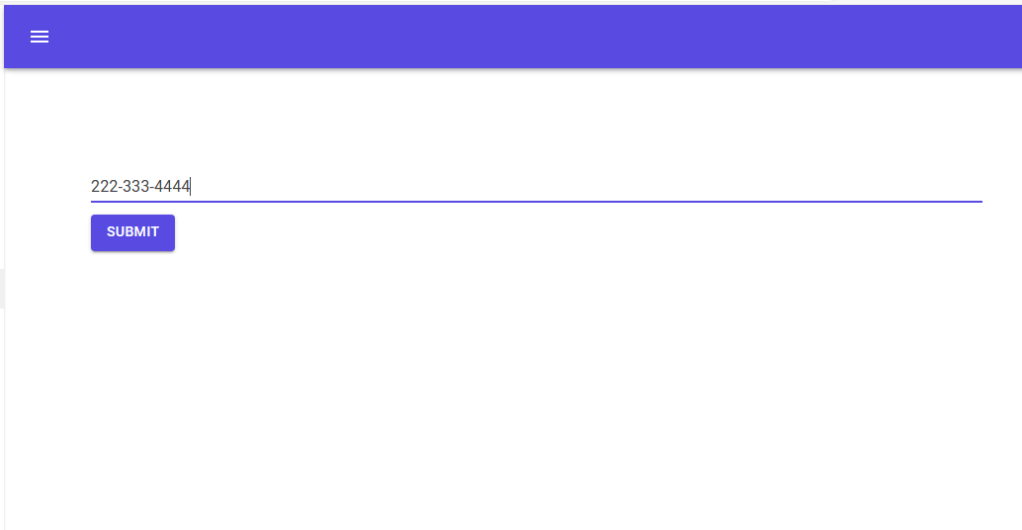
I bound the phone to Phone field in a Person class. Here is the result.

The first step is to add iMask.js to App.razor.
<body>
    <Routes @rendermode="@RenderMode.InteractiveServer" />
    <script src="_framework/blazor.web.js"></script>
    <script src="_content/MudBlazor/MudBlazor.min.js"></script>
    <script src="/imask/imask.js"></script>
    <script src="/js/phoneEditor.js"></script>
</body>
The file phoneEditor.js contains a global function that provides the phone mask.
window.mask = (elem) => {
    var customMask = IMask(
        elem, {
            mask: '000-000-0000'
    });
};
To use the phone mask, I created a simple Person class.
public class Person
{
public string Phone { get; set; } = null!;
}
Here is the EditForm for a Person. I used an EditContext for the EditForm.
<EditForm EditContext="@editContext" OnSubmit="@Submit">
    <MudTextField @ref="myTextField" T="string" Variant="@Variant.Text" Immediate="true" @bind-Value="personModel!.Phone"></MudTextField>
    <MudButton ButtonType="ButtonType.Submit" Variant="Variant.Filled" Color="Color.Primary"
               Class="ml-auto mt-3 mb-3">Submit</MudButton>
</EditForm>
EditContext is instantiated in OnInitialized.
    EditContext? editContext;
    public Person? personModel { get; set; }
    MudTextField<string> myTextField;

    protected override void OnInitialized()
    {
        personModel ??= new();
        editContext = new(personModel);
    }
The MudTextField<string> myTextField is an element reference. This provides the means to apply the phone mask.
 protected override async Task OnAfterRenderAsync(bool firstRender)
 {
     if (firstRender)
     {
         await JS.InvokeVoidAsync("mask", myTextField.InputReference.ElementReference);
     }
 }
A MudTextField is a composite control and myTextField.InputReference.ElementReference is the element reference for the input.
The Submit method provides the phone number of the Person.
 async Task Submit()
 {
     await JS.InvokeVoidAsync("alert", personModel!.Phone);
 }
This is how I bound a phone mask to a Person phone.



 Schroeder Consulting LLC