
This article presents a Blazor web app, Find Me a Home. Find Me a Home is a demo app based on an old MVC application I wrote. It is about finding apartment complexes within a zip code and a city. The app can be found at
https://findmeahome-fvhbcehmaafxdmes.centralus-01.azurewebsites.net/
It has four pages, home, complexes and complexdetail as well as an about. On the home page, a user selects a zip code and a city within that zip code
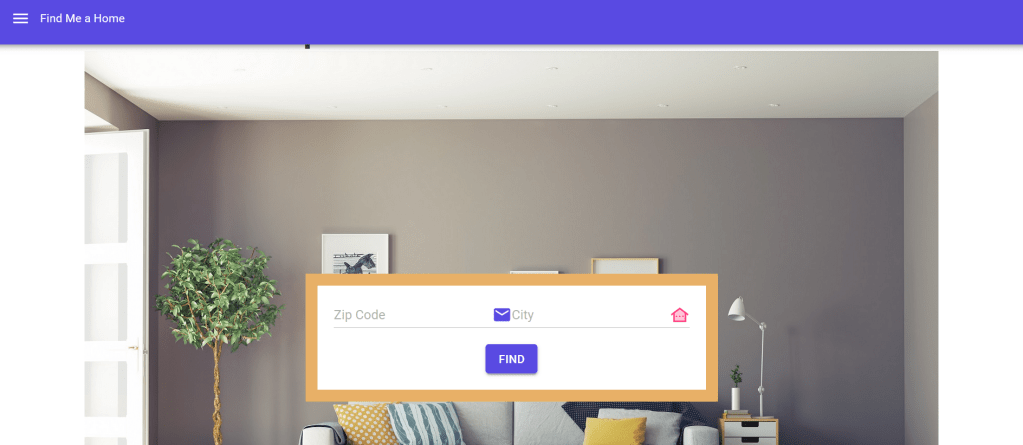
The submit button navigates to the complexes page passing the cityId.
@page "/complexes/{cityId}"The complexes page presents complexes in that city grouped by management.
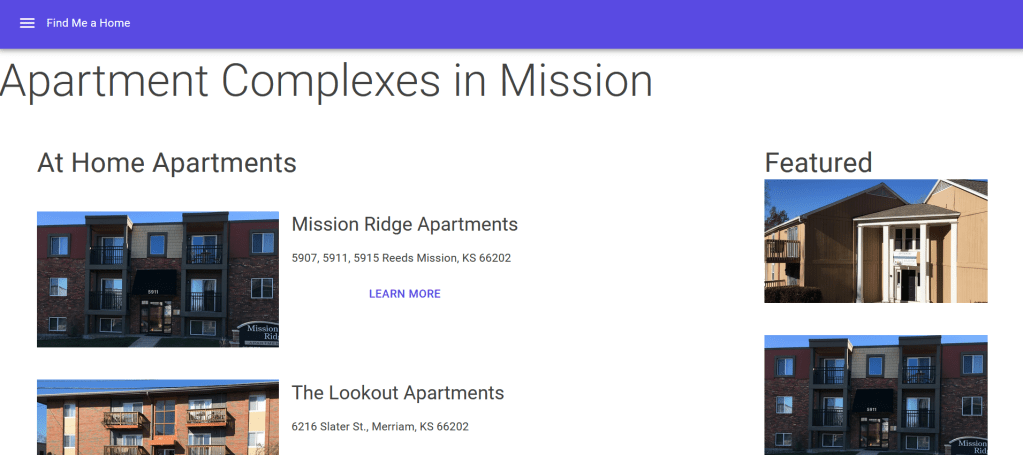
It also has a featured section. The featured section contains images of the complexes marked as featured.
The Learn More button navigates to the complexdetails page passing the Complex Id.
@page "/complexdetail/{complexId}"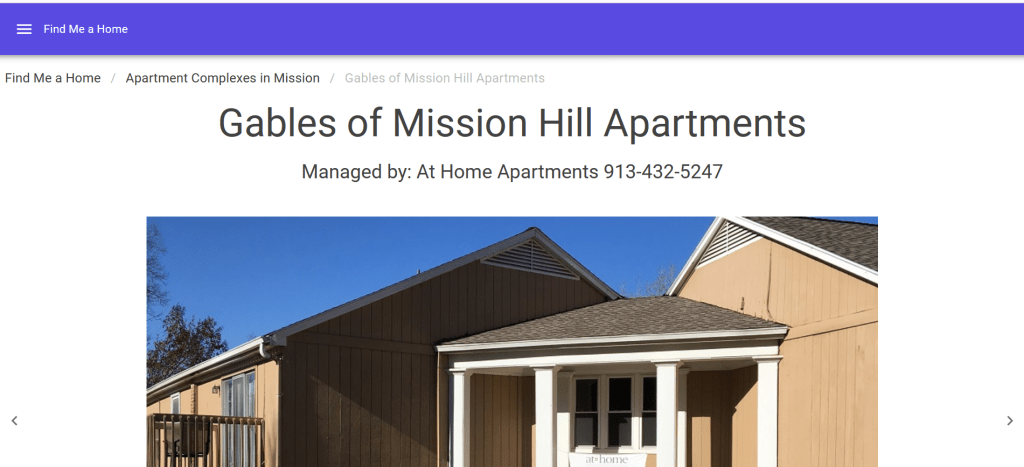
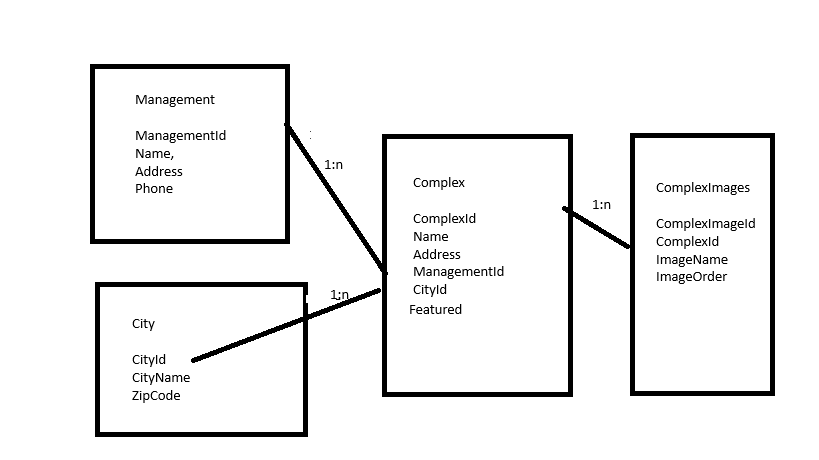
In this article, I describe how I used components to implement this structure. Here is the database:
Find Me a Home is a Blazor web app. It uses a MudBlazor template.
<MudThemeProvider />
<MudPopoverProvider />

<MudLayout>
    <MudAppBar>
        <MudIconButton Icon="@Icons.Material.Filled.Menu" Color="Color.Inherit" Edge="Edge.Start" OnClick="@((e) => DrawerToggle())" />
        Find Me a Home
    </MudAppBar>
    <MudDrawer @bind-Open="@_drawerOpen">
        <NavMenu/>
    </MudDrawer>
    <MudMainContent>
        @Body
    </MudMainContent>
</MudLayout>

@code {
    bool _drawerOpen = false;

    void DrawerToggle()
    {
        _drawerOpen = !_drawerOpen;
    }
}
The template requires a click event so the routing is set to server side in App.razor:
<Routes @rendermode="@RenderMode.InteractiveServer" />In Program.cs the builder in program file adds server side components and a database connection. ComplexesService retrieves data from the database.
var builder = WebApplication.CreateBuilder(args);
builder.Services.AddRazorComponents()
    .AddInteractiveServerComponents();
builder.Services.AddMudServices();

// Add services to the container.
var connectionString = builder.Configuration.GetConnectionString("DefaultConnection");
builder.Services.AddDbContext<ApplicationDbContext>(options =>
    options.UseSqlServer(connectionString));
builder.Services.AddScoped<ComplexesService>();

var app = builder.Build();
The challenging part of Find Me a Home is the Complexes page. It presents the complexes in a city grouped my management.
@if (managements == null || featuredSrc == null)
{
    <p>Loading items...</p>
}
else
{
    <MudBreadcrumbs Items="_items"></MudBreadcrumbs>
    <div class="display-4">Apartment Complexes in @thisCity?.CityName</div>
    <div class="p-5">
        <MudGrid Justify="Justify.FlexStart">
            <MudItem xs="12" sm="9">
                @foreach (var m in managements)
                {
                    <ManagmentComplexes Management="m" CityId="@CityId"></ManagmentComplexes>
                }
            </MudItem>
            <MudItem xs="12" sm="3">
                <MudText Typo="Typo.h4">Featured</MudText>
                @foreach (var i in featuredSrc)
                {
                    <MudImage Fluid="true" Src="@i" Alt="Image" Width="301" Height="169" Class="mx-auto my-auto"></MudImage>
                    <div class="py-5"></div>
                }
                <MudStack Justify="Justify.Center" AlignItems="AlignItems.Start">
                    <MudText Typo="Typo.h5">Find Me a Home</MudText>
                    <MudText Typo="Typo.body1">Brought to you by Schroeder Consulting</MudText>
                    <MudLink Href="http://schroederconsultingllc.com/" Target="_blank">Schroeder Consulting</MudLink>
                </MudStack>
            </MudItem>
        </MudGrid>
    </div>
}
A city has multiple apartment management companies. Each management company has multiple complexes in that city. The Complexes component gets the list of complexes for that city and the management companies for the city.
   thisCity = _service.GetCity(CityId); ;
   var complexes = _service.GetComplexes(CityId);
   managements = complexes.Select(c => c.Management).Distinct().ToList();
Featured retrieves an image for the complexes marked Featured. To get the Featured:
var featured = complexes.Where(c => c.Featured.HasValue && c.Featured.Value).ToList();I developed a ManagmentComplexes component that presents the complexes for a management in a city
<MudText Typo="Typo.h4">@Management.Name</MudText>
<div class="py-5"></div>
@foreach (var c in managementComplexes)
{
    <CityComplex Complex ="c"></CityComplex>
    <div class="py-5"></div>
}
The ManagementComplexes component has two Parameters which are the Management and the CityId. This makes sense because ManagementId and CityId are foreign keys in the Complex table. The component fetches the complexes managed by Management whose City matches the CityId.
[Parameter]
public Management Management { get; set; }
[Parameter]
public string CityId { get; set; }

List<Complex> managementComplexes;

protected override void OnParametersSet()
{
    managementComplexes = _service.GetComplexesByManagementAndCity(Management.ManagementId, CityId);
}
I developed a CityComplexes component.
@if (complexImage == null)
{
    <p>Loading items...</p>
}
else
{
    <div class="d-flex mud-width-full">
    <MudStack Row="true">
        <MudImage Fluid="true" Src="@src" Alt="Image" Width="301" Height="169" Class="mx-auto my-auto"></MudImage>
            <MudStack Justify="Justify.FlexStart">
                <MudText Typo="Typo.h5">@Complex.Name</MudText>
                <MudText Typo="Typo.body2">@Complex.Address</MudText>
                <MudButton Variant="Variant.Text" Color="Color.Primary" OnClick="LearnComplexDetails">Learn More</MudButton>
            </MudStack>
    </MudStack>
    </div>
}
The CityComplex component has one Parameter with is the Complex. CityComplex fetches the complex images for the complexes and presents only the image where the ImageOrder is 1
@code {
    [Parameter]
    public Complex Complex { get; set; }
    ComplexImage complexImage;
    string src;

    protected override async Task OnParametersSetAsync()
    {
        await Task.Delay(10);
        complexImage = _service.GetComplexImages(Complex.ComplexId).First(c => c.ImageOrder == 1);
        src=($"https://xxx/xx/{complexImage.ImageName}");
    }

    void LearnComplexDetails()
    {
        nav.NavigateTo($"/complexdetail/{Complex.ComplexId.ToString()}");
    }
}
The OnClick event of the CityComplex component, LearnComplexDetails, navigates to the ComplexDetail component. The ComplexDetail component presents a carousel with all the images for a complex:
@if (complex == null || _source == null)

{
    <p>Loading items...</p>
}
else
{
    <MudBreadcrumbs Items="_items"></MudBreadcrumbs>
    <MudStack AlignItems="AlignItems.Center">
        <MudText Typo="Typo.h3">@complex.Name</MudText>
        <MudText Typo="Typo.h5">@String.Format("Managed by: {0} {1}", complex.Management.Name, complex.Management.Phone.OutPhone())</MudText>
    </MudStack>
    <div class="py-5"></div>
    <MudCarousel Class="mud-width-full md-carousel" ItemsSource="@_source" ShowArrows=true ShowBullets=true EnableSwipeGesture=true AutoCycle=true TData="string">
        <ItemTemplate>
            <div class="d-flex">
                <MudImage Fluid="true" Src="@context" Alt="Image" Class="mx-auto my-auto" ></MudImage>
            </div>
        </ItemTemplate>
    </MudCarousel>
    <div class="py-5"></div>
    <div class="text-center">
    <MudText Typo="Typo.h4">@complex.Address</MudText>
    </div>
Here:
[Parameter] public string ComplexId { get; set; }
    Complex? complex;
    List<string>? _source;
    List<BreadcrumbItem> _items;

    protected override async Task OnInitializedAsync()
    {
        await Task.Delay(10);
        complex = _service.GetComplex(ComplexId);
        var complexImages = _service.GetComplexImages(Guid.Parse(ComplexId));
        complexImages.OrderBy(c => c.ImageOrder);
        _source = new List<string>();
        foreach (var i in complexImages)
        {
            _source.Add($"https://xxx/compleximages/{i.ImageName}");
        }
...
}
For more on a carousel, see my blog
In this blog, I demonstrated the use of components to implement the structure of a web application.



 Schroeder Consulting LLC