
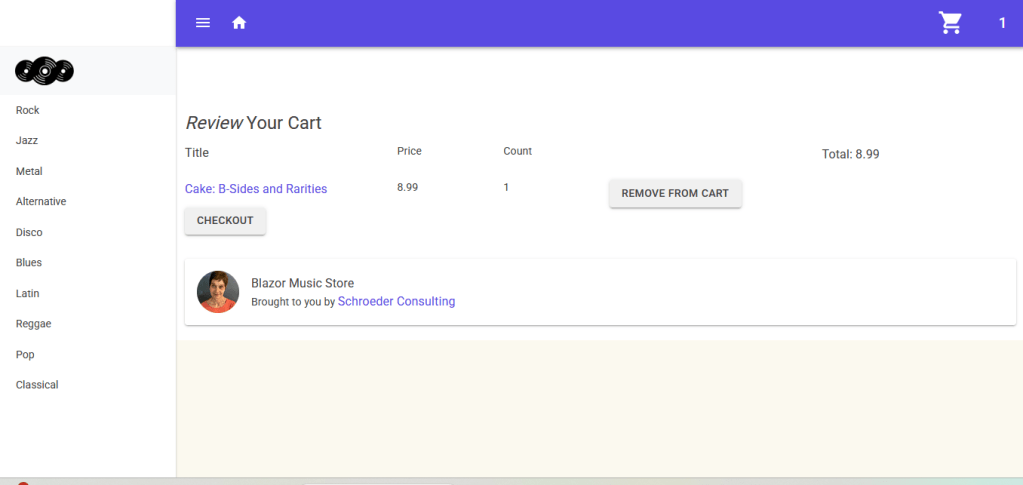
This article is part 2 of a series on a portfolio Blazor Music Store. The Blazor app uses MudBlazor. It is a recreation of the old MVC Music store. Users can browse items in the store depending of the genre they select from the side menu. Once an item is select, it can be added to a cart. Only one item can be added a one time. The logic for the cart is the same as my blog https://schroeder-consulting-llc.com/2025/06/12/update-a-component-from-a-page-in-blazor/
This blog focuses on the Add and Remove from cart functionality. The Add button appear on the Details page.
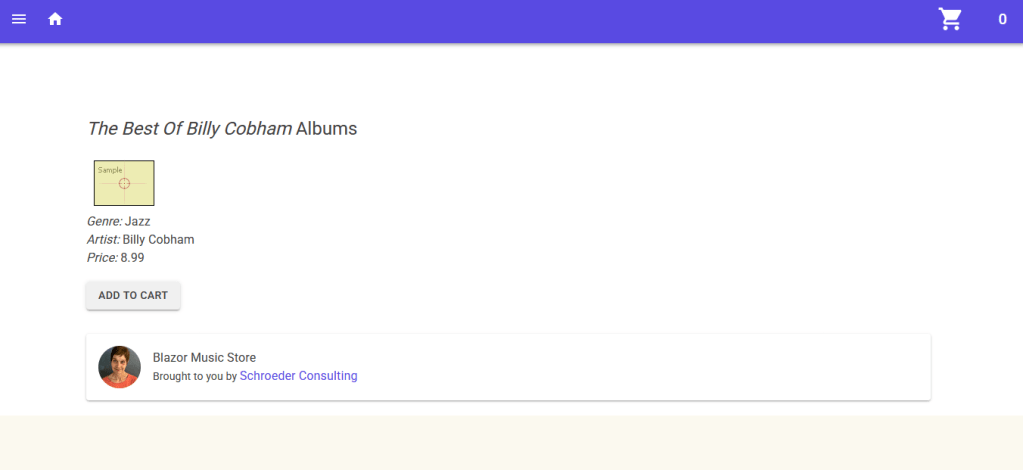
In the code section of the Details page,. OnInitializedAsync either creates a cartId or retrieves it. It uses ProtectedSessionStorage.
 protected override async Task OnInitializedAsync()
 {
...
     var result = await ProtectedSessionStore.GetAsync<string>("cartId");
     cartId = result.Success ? result.Value : Guid.NewGuid().ToString();
     await ProtectedSessionStore.SetAsync("cartId", cartId);
 }
A method Add sets the cart count in the AppBar. It also adds the cart to the database.
private async Task Add(Album album)
{
    cartCount = cartService.GetCount(cartId);
    cartCount++;
    appBarState.SetCount(cartCount.Value);
    cartService.AddToCart(album.AlbumId, cartId);

}
There was a problem using context in Blazor Server Side. It produced the error “one instance of context interfering with another.” The problem was solved using an IDbContextFactory.
That requires a change in the code in Program.cs. It replaces AddDbContext.
builder.Services.AddDbContextFactory<ApplicationDbContext>(options =>
    options.UseSqlServer(connectionString));
Here is the AddToCart method in Cart Service.
public void AddToCart(int albumId, string cartId)
{
    using var context = _contextFactory.CreateDbContext();
    var cartItem = context.Carts.FirstOrDefault(c => c.CartId == cartId && c.AlbumId == albumId);
    if (cartItem == null)
    {
        cartItem = new Cart
        {
            AlbumId = albumId,
            CartId = cartId,
            Count = 1,
            DateCreated = DateTime.Now
        };

        context.Carts.Add(cartItem);
    }
    else
    {
        cartItem.Count++;
        context.Update(cartItem);

    }

    context.SaveChanges();
}
The Remove Cart functionality is in the Cart page. The Cart page contains a child component VewComponent.The ViewComponent list an item in the cart. Here is ViewComponent:
<MudGrid>
    <MudItem xs="12" sm="4">
        <MudLink Href="@navLink">
            <MudText Typo="Typo.body1">
                @cart.Album.Title
            </MudText>
        </MudLink>
        </MudItem>
    <MudItem xs="12" sm="2">
        <MudText Typo="Typo.body2">
            @price
        </MudText>
    </MudItem>
    <MudItem xs="12" sm="2">
        <MudText Typo="Typo.body2">
            @cart.Count
        </MudText>
    </MudItem>
    <MudItem xs="12" sm="3">
        <MudButton ButtonType="ButtonType.Button" Variant="Variant.Filled" Color="Color.Default" OnClick="() => Remove()">Remove From Cart</MudButton>
    </MudItem>
    </MudGrid>
Here is the ViewComponent on the CartPage:
  @foreach (var a in carts)
  {
      <MudItem xs="12">
          <ViewComponent RecordId="@a.RecordId" CartId="@cartId" OnRemove=Remove>
          </ViewComponent>
      </MudItem>
  }
The Cart Page passes parameters to ViewComponent:
    [Parameter]
    public int RecordId { get; set; }
    [Parameter]
    public string CartId { get; set; }
    [Parameter]
    public EventCallback OnRemove { get; set; }
One of the parameters is an EventCallback. Cart Page expects a callback from the ViewComponent when an item is removed from the cart.
The ViewComponent has a Cart object. In ViewComponent, the cart is just a record in the Cart table.
   Cart cart;
...

 protected override async Task OnInitializedAsync()
    {
        cart = await cartService.GetCart(RecordId);
        ...
    }
In ViewComponent, when the “Remove From Cart” button, the Remove method is called.
 private async Task Remove()
 {
     int cartCount = cartService.GetCount(CartId);;
     cartCount--;
     appBarState.SetCount(cartCount);
     cartService.RemoveCart(cart);
     await OnRemove.InvokeAsync();
 }
This method resets the count in the AppBar, removes the cart from the database and invokes the OnRemove handler in the Cart Page. Here is the RemoveCart method in the Cart Service:
public void RemoveCart(Cart cart)
{
    using var context = _contextFactory.CreateDbContext();
    context.Carts.Remove(cart);
    context.SaveChanges();
}
On the Cart page, the event handler OnRemove is handled by a Remove method:
 public async Task Remove()
 {
     carts = cartService.GetCartItems(cartId);
     total = carts.Sum(a => a.Count * a.Album.Price);
     await Task.Run(async () => await InvokeAsync(StateHasChanged));

 }
The Remove method on the Cart Page recalculates values and calls StateHasChanged.
This blog has explained cart management for a Blazor Music Store.


 Schroeder Consulting LLC